
Profile on demand · NinjaTrader 8
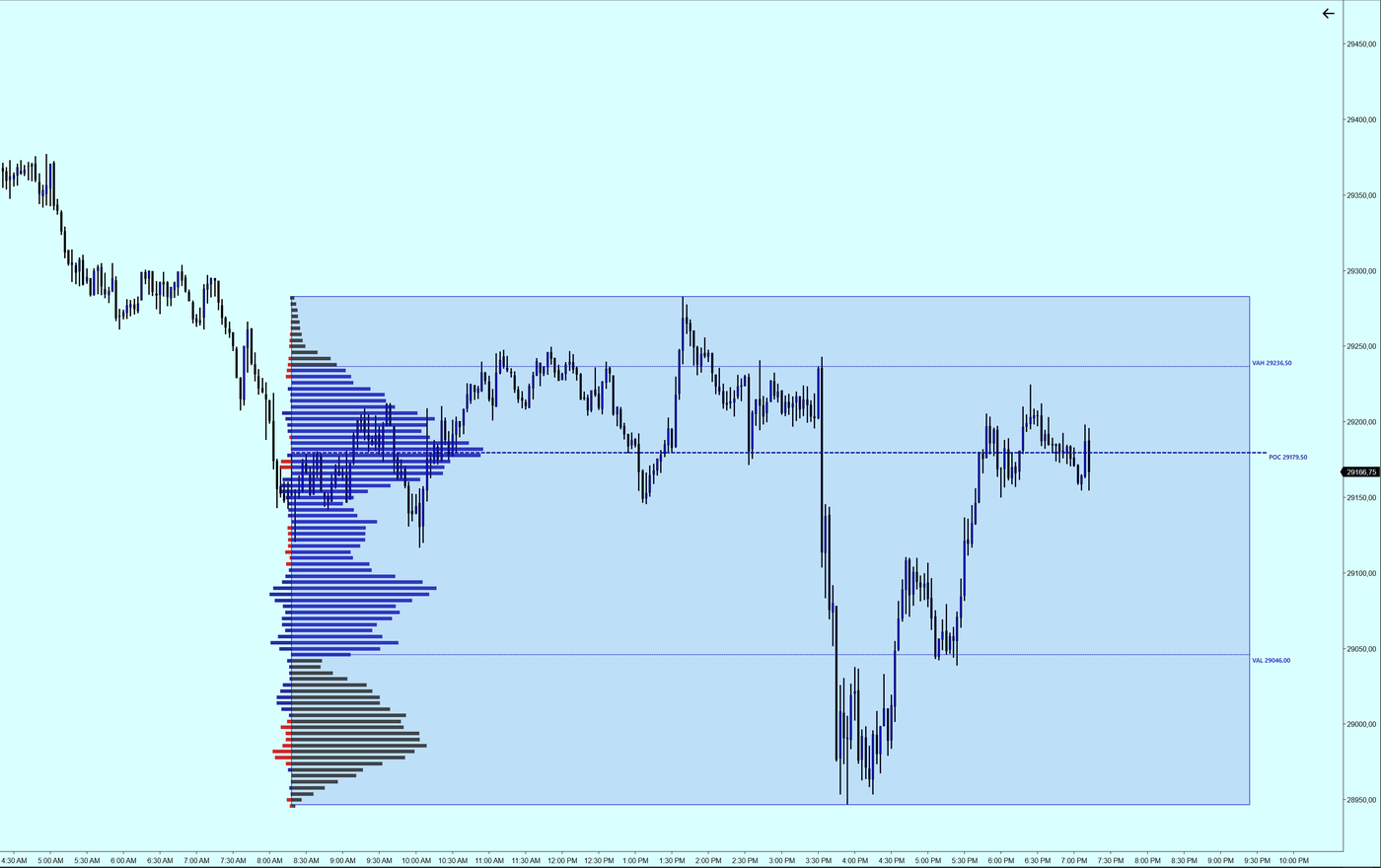
Screenshot of the tool running.
The profile of whatever stretch you pick.
Session or daily profiles answer a question that is not always yours. This one is drawn with two clicks over the stretch you care about —a sell-off, a range, the last hour— and computes only there.
Two clicks and done
Mark the start and the end. The profile recalculates if you move either edge, so you can try things out.
Its own POC and value area
Of the selected stretch, not of the session. The price where most trading happened inside THAT move is usually what you were after.
Delta per row
On top of volume, each row shows which side it came from, with its own width.
What each term means
The names the indicator uses, and what each one means.
- POC. Point of Control: the highest-volume price of the stretch.
- VAH · VAL. The high and low edges of the value area.
- Value area. The rows holding the percentage of volume you set (70 % by default).
- Row grouping. How many ticks each profile row groups together.